This site runs on a personal VPS I manage myself. Rather than leave it at "it's up and reachable," I wanted to actually harden it the way I would a client's production server, then stand up public monitoring so the security posture and uptime are verifiable — not just claimed on a resume.
What I Built
1. SSH Key-Only Authentication
Generated an ed25519 keypair, installed the public key on the server, then disabled password authentication and root login entirely in sshd_config. Password auth is the single most common entry point for automated brute-force attacks against a public IP — removing it outright closes that door rather than just slowing it down.
2. UFW Firewall
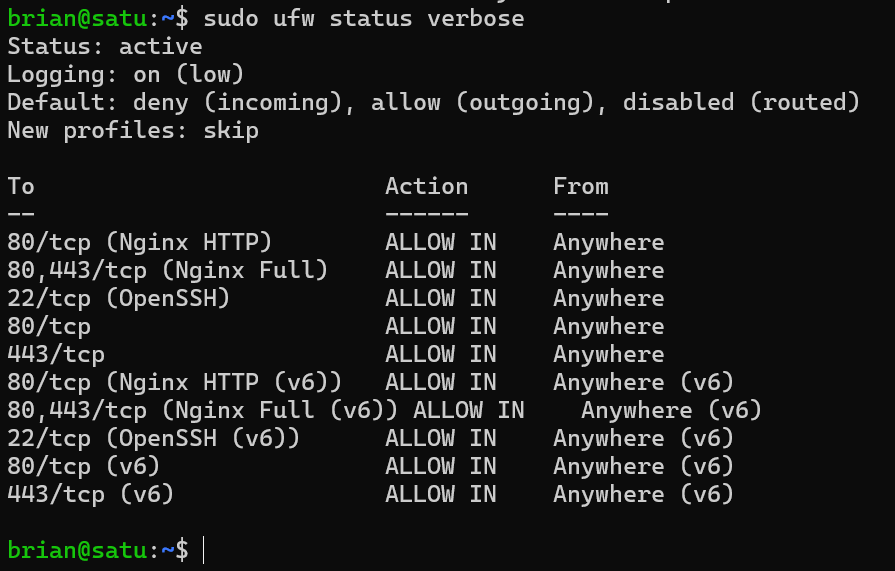
Default-deny firewall with explicit allow rules for SSH, HTTP, and HTTPS only. Every other port is closed by default, which matters more than it sounds — a lot of real-world breaches come from a forgotten open port on a service nobody remembers installing.
Output of ufw status verbose — active rules, default-deny confirmed.
3. fail2ban
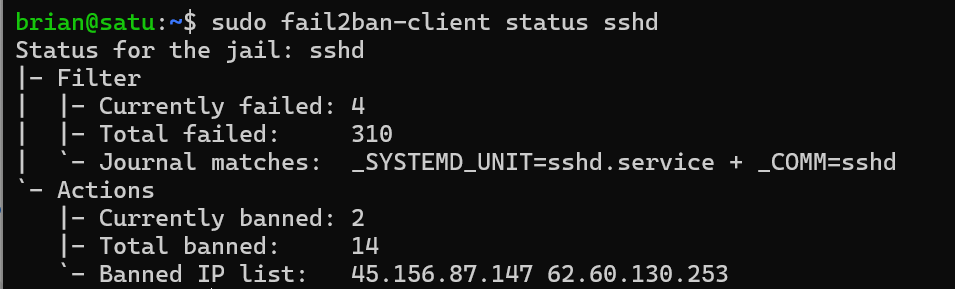
Configured to watch SSH auth logs and automatically ban IPs after repeated failed login attempts. This isn't theoretical — within days of standing this up, it started catching real, automated brute-force attempts from bots scanning the wider internet, not just my own test traffic.
Real bans in the wild — fail2ban-client status sshd after a few days live.
4. Uptime Kuma (self-hosted monitoring)
Deployed via Docker, bound to 127.0.0.1 only rather than exposed directly on a public port — it's only reachable through the reverse proxy in front of it. Smaller attack surface than just opening another port to the world.
Added a DNS A record for a dedicated subdomain, wrote an Nginx server block to proxy requests to Kuma's internal port, and issued a free SSL certificate via Let's Encrypt/Certbot with automatic renewal — the same pattern I used to get this main site onto HTTPS.
Why This Matters
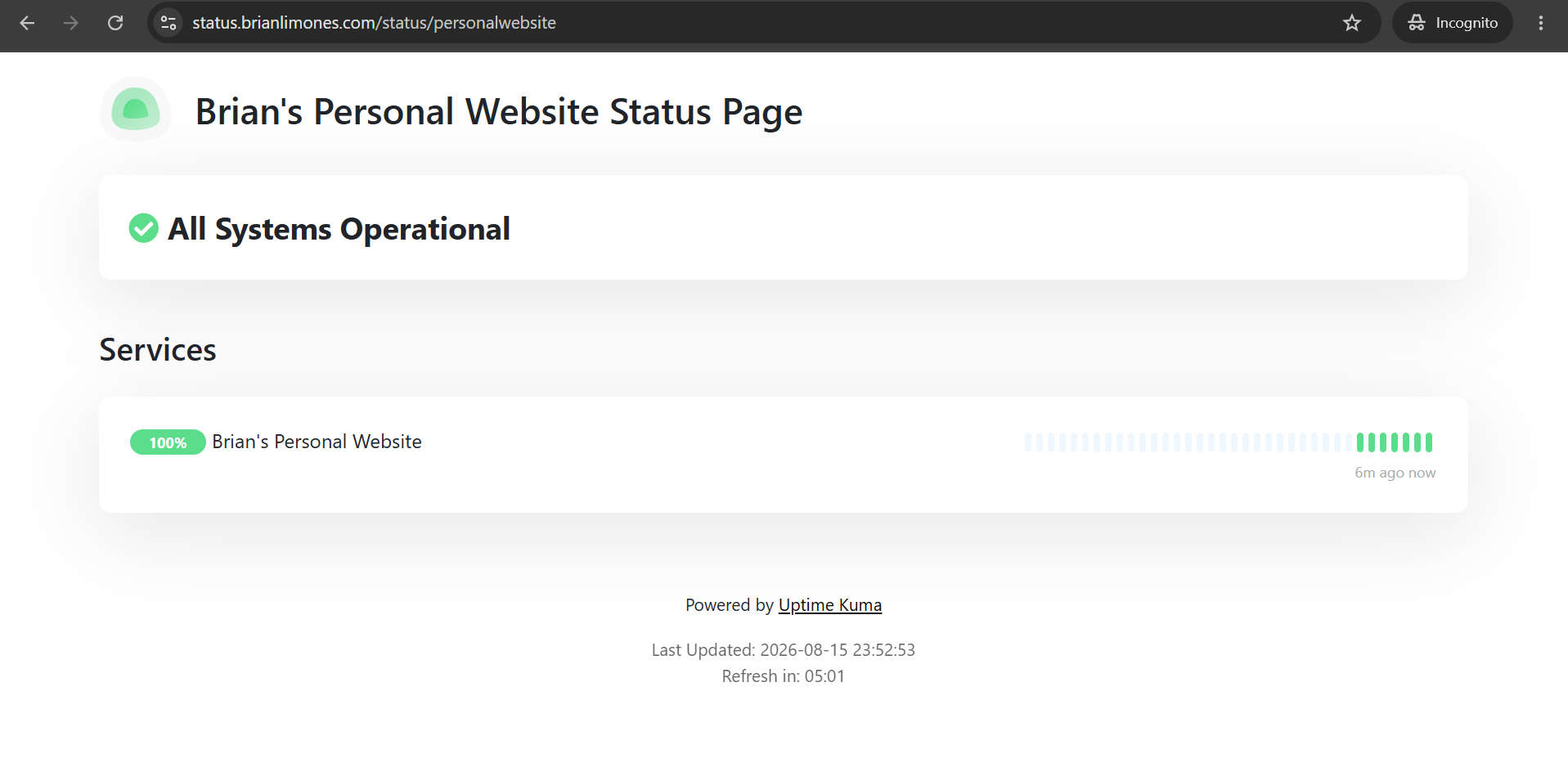
Anyone can claim "network security" and "troubleshooting" on a resume. This is the difference between claiming it and showing it: a live server, hardened using real production practices, actively defending itself against real internet traffic — with a public page proving it's still standing.
Trade-offs I'm Aware Of
Self-hosted monitoring has a blind spot worth naming honestly: if the VPS itself goes down, the monitor goes down with it. In a real production environment, I'd pair this with an external monitor on separate infrastructure for true independent verification. For a personal project, I judged the trade-off acceptable — but it's the kind of limitation I'd flag to a team rather than let someone assume the setup is bulletproof.